Questions
Frequently asked questions
Answers focus on legal use, integrity, and day to day operations for Switch Power Scheme on supported Windows releases.
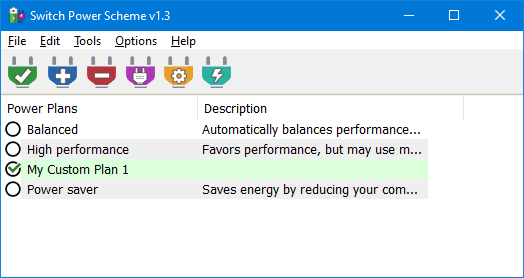
Switch Power Scheme is commonly distributed as donation supported software. Treat it like any other third party binary: confirm licensing terms inside the package you ship, record the version in procurement logs, and honor any attribution requests bundled with the ZIP.
Desktop context menu integration registers shell entries that standard users cannot modify. The User Account Control prompt is the expected gate. After approval, relaunch the elevated instance and repeat the integration command so registration completes.
Core switching is local to the machine. Monitor outbound traffic with your standard endpoint tools during pilot installs. If a future release adds update checks, document that behavior in your software inventory once you observe it.
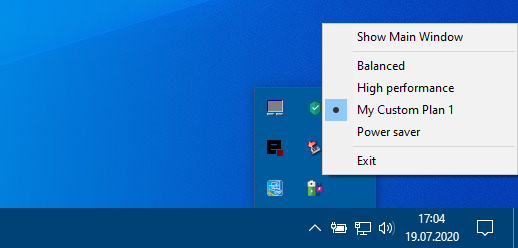
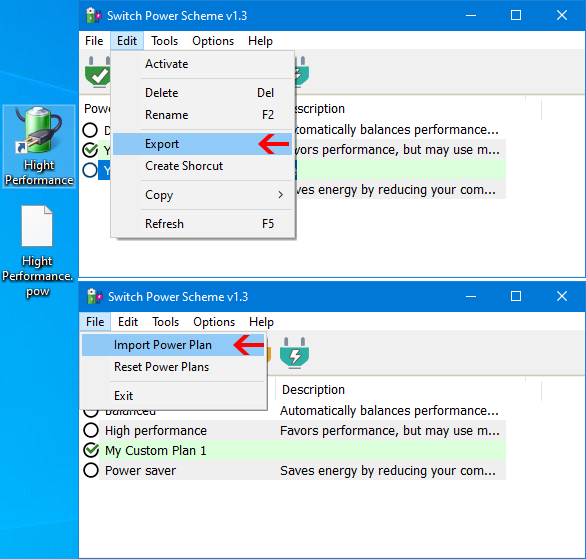
Release 1.3 corrects translation issues during export and import, adds tray hover visibility for the active scheme, and lets you choose the working directory for file operations. Always back up existing plans before importing a profile with the same display name.
Pause, compare hashes with the download page, and capture the detection name. If hashes match yet the file is still removed, open a vendor false positive ticket. Avoid bypassing corporate controls without security team approval.
Yes. Portable layouts are ideal for consultants. Remember that autopilot shortcuts should reference the USB drive letter cautiously or use relative paths inside scripts that launch the binary with a controlled working directory.
No. Switch Power Scheme is a controller surface. Deep edits to sleep timers or per component budgets still belong in Power Options or modern Settings pages when you need granular tuning.