Switch Power Scheme focuses on one job: make power plan changes fast, repeatable, and visible. The sections below mirror how administrators, gamers, and mobile workers actually touch the product.
Power plan inspection and activation
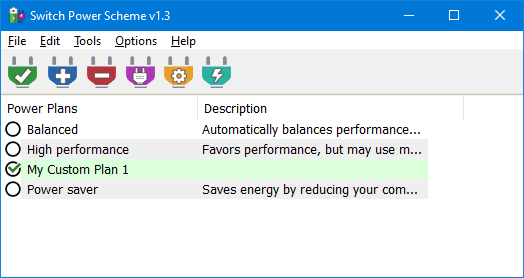
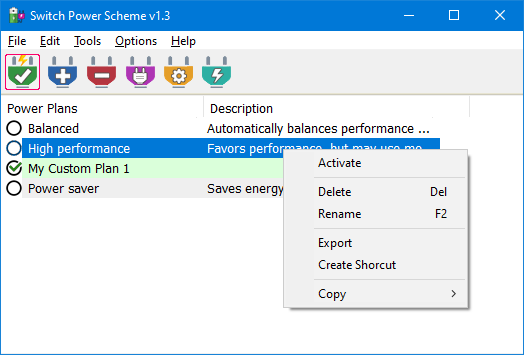
The main window lists every plan Windows currently registers, including custom schemes you authored in Power Options. Activation paths include the Apply selected control plus right click Activate for muscle memory parity with Explorer habits.
Because the UI stays minimal, you spend time choosing the correct thermal or performance envelope instead of hunting nested Settings panels.
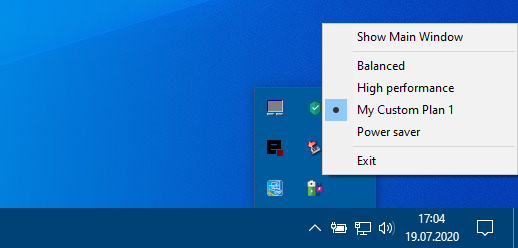
Keep the app minimized and rely on the tray icon for instant switching. Version 1.3 adds a hover readout so you can confirm the active scheme before you commit a change during a stream or presentation.
Operational notes
Tray entries mirror the same plan order you configured in the window.
Pair tray use with desktop shortcuts when a single plan should be one keystroke away.
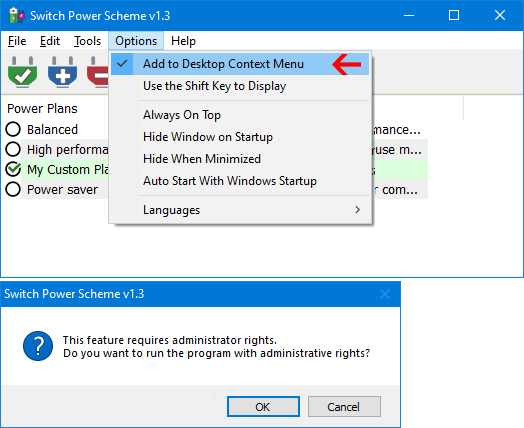
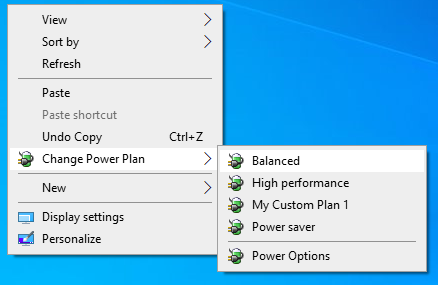
Optional desktop context menu entries surface the same plan list when you right click a clean desktop surface. Registration uses elevated rights, which is why Windows shows a consent prompt that should be expected, not feared.
You can require the Shift key before the entries appear, which reduces accidental clicks when handing a laptop to another person.
Plan performance insights through export and reuse
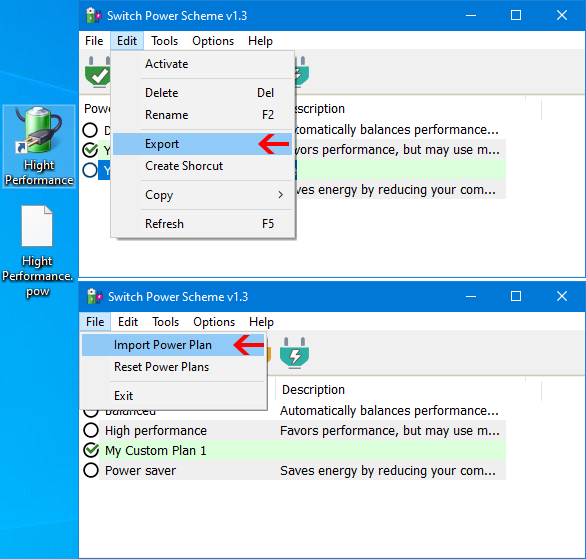
Export captures a plan you tuned for thermals or latency, while import reapplies that profile elsewhere. Version 1.3 improves translation fidelity during export and import and lets you choose the working directory explicitly so USB based toolkits stay organized.
Maintenance toolkit
Reset misbehaving defaults without rebuilding every GUID manually.
Rename plans so help desk tickets reference recognizable labels.
Create desktop shortcuts that jump straight to a named scheme.
Rather than loading third party modules, Switch Power Scheme extends through deliberate Windows touch points: the tray, the desktop menu lane, and shortcut based activation. Each path reuses the same authoritative plan list so behavior stays predictable.
Supported desktop releases span Windows 11, Windows 10, Windows 8.1, Windows 8, Windows 7, and Windows Vista, with a long list of bundled translations for global teams.